
Week 1 – 360 3D Content using Blender
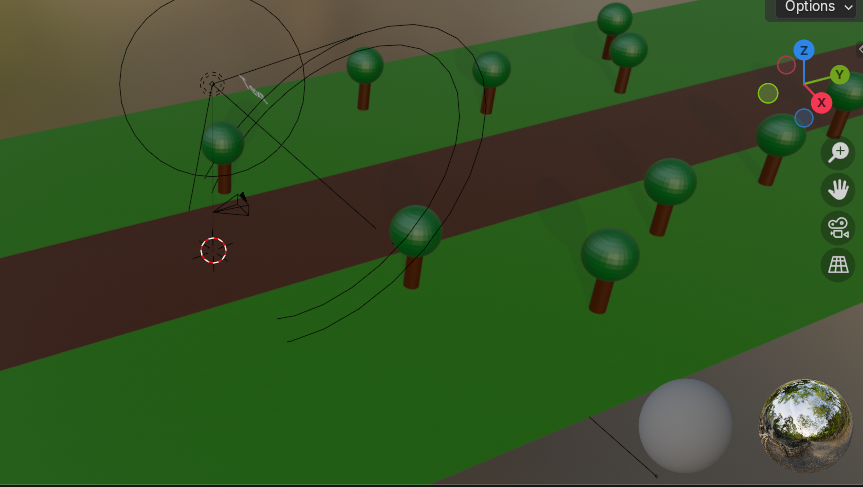
For this exercise I wanted to not only use moving objects to guide the viewer but also light, this led me to create a dark forest scene which limits the viewers visibility to encourage them to look at lights / objects that create lights to guide the viewers focus. The darkness around them creates a creepy atmosphere which will naturally cause the viewer to focus and be alert, immersing them more into the environment as they are secluded alone in this forest.
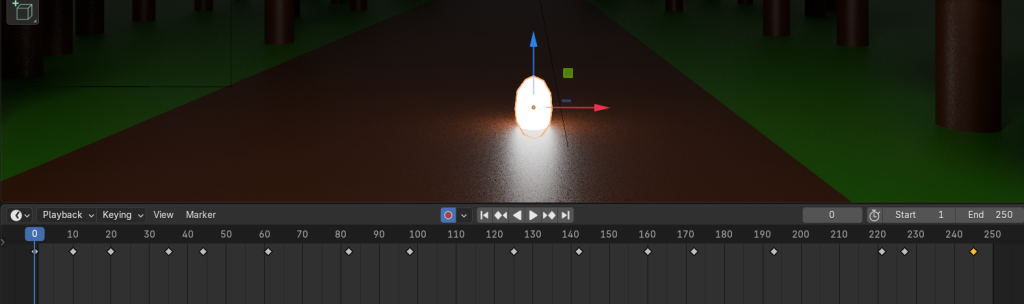
I used an orb object that was bright and created light to help guide the viewer on where to look as 360 environments in VR can be overwhelming when there isn’t a clear visual guide. These objects that help guide the viewer on where to look or what to do without clear written/visual instructions are known as “affordances”. Soegaard mentions that “…to Norman (1988) an affordance is the design aspect of an object which suggest how the object should be used; a visual clue to its function and use”. Applying Norman’s Affordances to the orb of light creates a clear focal point inside the VR world which suggests to the user to look and follow this object of interest. This can also be combined in other ways which are not just visual guides. For example any audio such as a “bang” coming from a certain direction will cause the user to look in that direction.
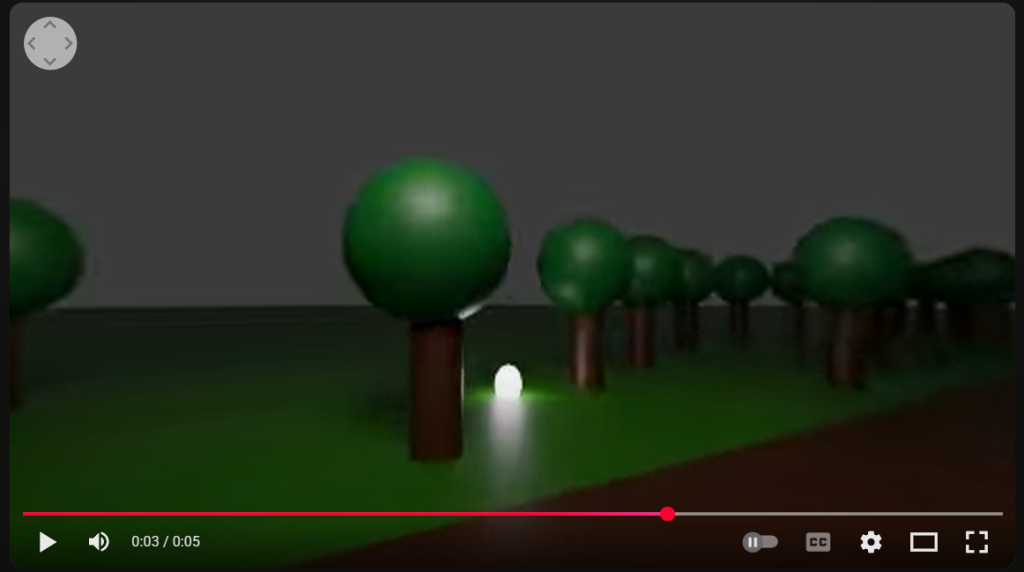
The final came out working successfully as the video supported the 360 view, the video allows for a view of the dark forest scene inside a VR headset or on the web view. This 360 test shows the possibilities of 360 being beneficial to graphic design in various ways, such as a slow walkthrough of a portfolio in an immersive environment. After this exercise this idea of a portfolio walkthrough is strongly sticking with me as it’s something I can add onto my portfolio skills whilst showing off my work in a unique and memorable way.
As this can be easily accessed via youtube and doesn’t require a VR headset it is easily accessible to all potential employers and people that want to view the video which is another bonus in using the 360 VR method for my proposal.
Week 2 – FrameVR (WebVR)
In this week we explored a website called FrameVr which allows users to explore a virtual 3D setting alone or in multiplayer simultaneously. It is a free product that requires a simple sign up which may be discouraging for some potential employers or visitors.
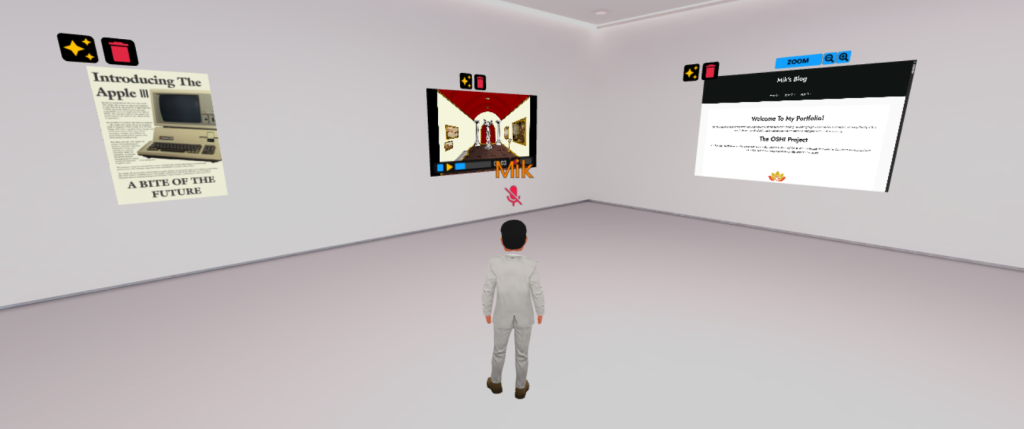
After choosing a template layout I decided to start adding in various portfolio work from my laptop which was surprisingly easy. After hovering your mouse over an icon you click “Image” which allows you to upload any image directly from your device as “FrameVR” is accessible on all devices including mobile. This is great again as it can easily be using for portfolio work for graphic designers as all that is required is to select the files they want and upload them and this doesn’t stop at just images.
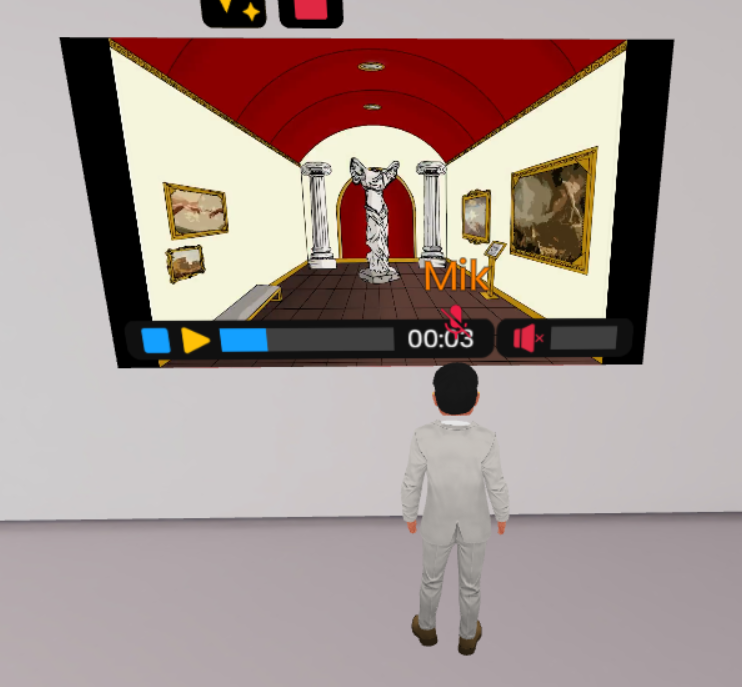
I next proceeded to upload a video using the same process that was mentioned above onto a different canvas inside the FrameVR world. This would be effective to use in a virtual gallery as video access will allow for a higher range of assets to be shown off. Having an avatar on the screen will also help users find themselves as it improves spatial awareness, this is due the the user being able to see where they are physically, this is improved on further if there are signs or arrows leading the user in the correct direction as clear instructions further improve spatial awareness.
https://framevr.io/emergingtechweek2
2 – Immersive User Experience (UX) and Augmented Reality (AR)
(Write the lab exercises that relate to AR to design AR experiences. Consider how you may make use of this medium and consider some of the approaches we covered in the lecture in workshops)
In these lab exercises I tried an online program named 8thwall, which is created by Niantic Labs who also created Pokémon Go, the most famous and successful use of AR. One of the 8th wall exercises I did was based around “Image Tracking”. Image tracking is “technology that uses a device’s camera to recognize a specific 2D image and overlay digital content onto it in a fixed position”.
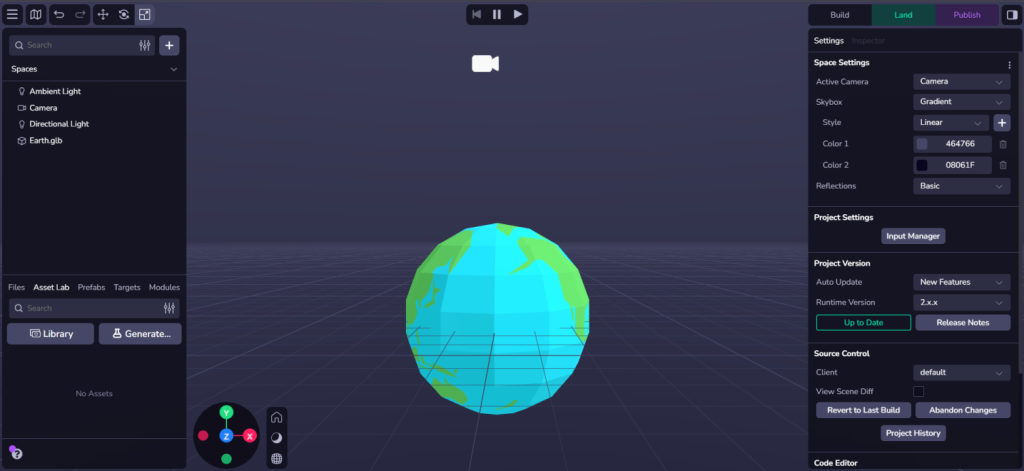
I started by following the default tutorial withing 8thwall, this is to gain a basic understanding of how 8thwall functions and where basic functions are. The tutorial carried me step by step how to upload models into 8thwall and make them interact within one another. This led me to upload a model of the earth with a smaller moon orbiting it.
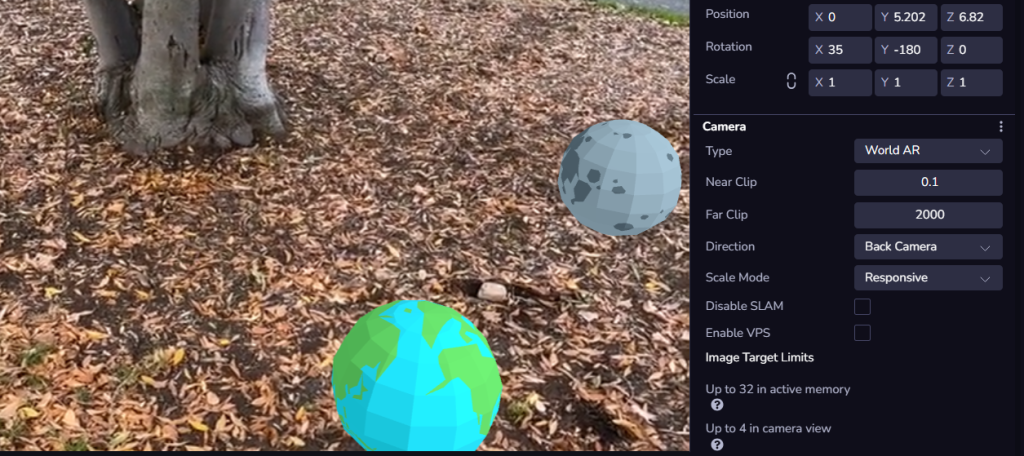
The tutorial also led me through camera settings which showed me how to set up in World AR which you can see above. This will help in my image tracking project as it also requires assets uploading and world AR settings enabled.
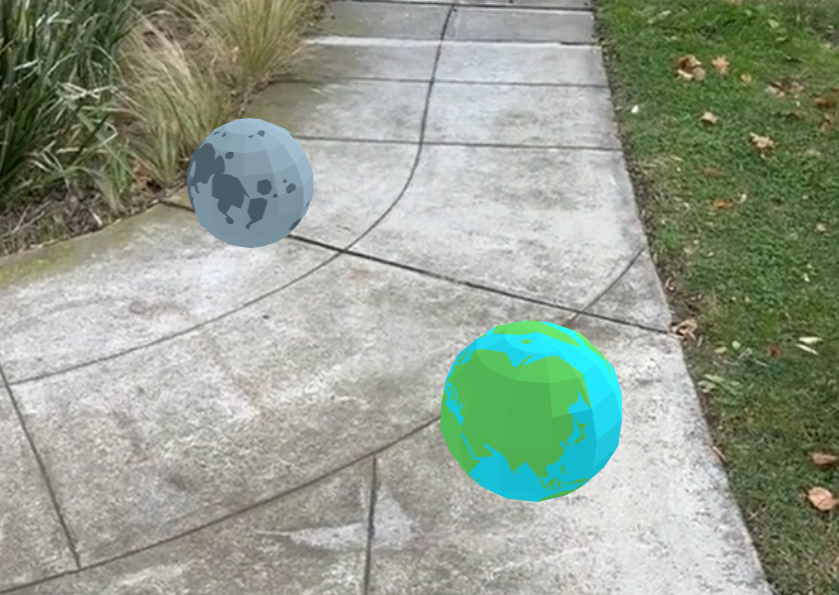
I next proceeded to set up the Image Tracking project, following the tutorial provided on canvas. I started with a blank project.
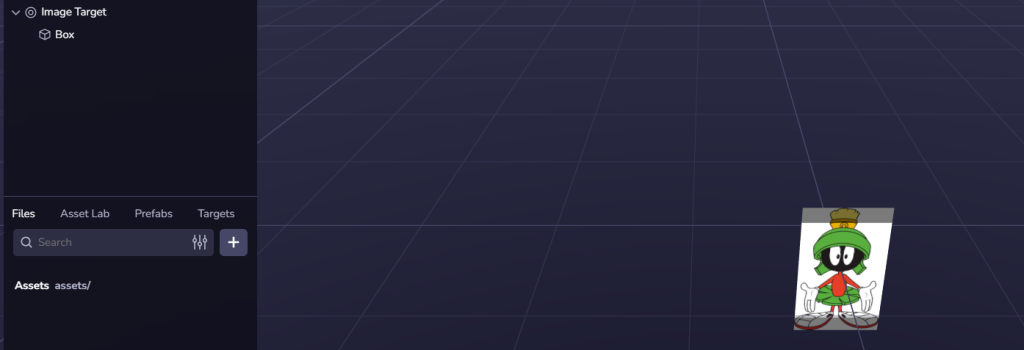
I then proceeded to click the plus and upload an Image Target, after selecting a high quality image to ensure that the tracking is recognised properly by the camera I then attached a box as a child of the image target, this will enable the box to show up when the image is scanned. This box could be replaced with any model for example a 3D model I create inside gravity sketch.
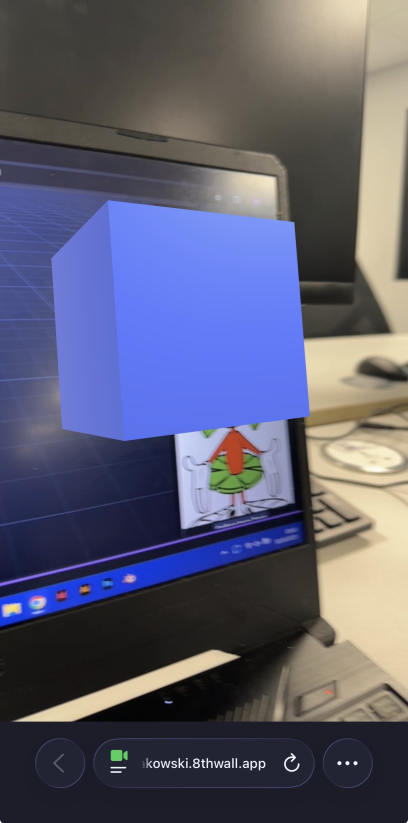
As an extra addition I also downloaded the Scaniverse app on my phone to experiment with the Lidar scanning technology. The scaniverse app allows you and other users to scan anything nearby and upload it on a public map or export it elsewhere. This links with 8thwall as scanned assets can be added as a model and interacted with.
As a test I scanned in a classroom chair carefully by slowly rotating the camera around it from all angles, this allowed the scanner to pick up the focal point (the chair) accurately and with higher quality. This is from experience as I was scanning too fast the first time which resulted in blurriness. I then uploaded this scan into 8thwall to test out any possible features or benefits from combining these two apps. However due to the cropping not working I couldn’t manage anything to work properly, with extra time if I decide to use Scaniverse in my proposal I can fix the issue and explore it further.
One example I found where AR is used the the 19crimes wine bottles. These bottles feature a different character on the front of their packaging, depending on the character once the packaging is scanned, the character comes to life and tells a story. This is an effective way to create a unique selling point using image tracking.
VR Art & Immersive Storytelling
This section is focused on VR Art. This was not the first time I used a VR headset however I was lacking in experience as I’ve only played a game or two in them before. I started by creating a drawing in OpenBrush which was a random doodle to test out all the various brushes, however I found myself to keep trying to create 2D art from natural instinct, I tried out the various environments that OpenBrush provides such as the Snowman and the Pillar to remind me that I am in a 3D space and aren’t limited to drawing on a singular axis.

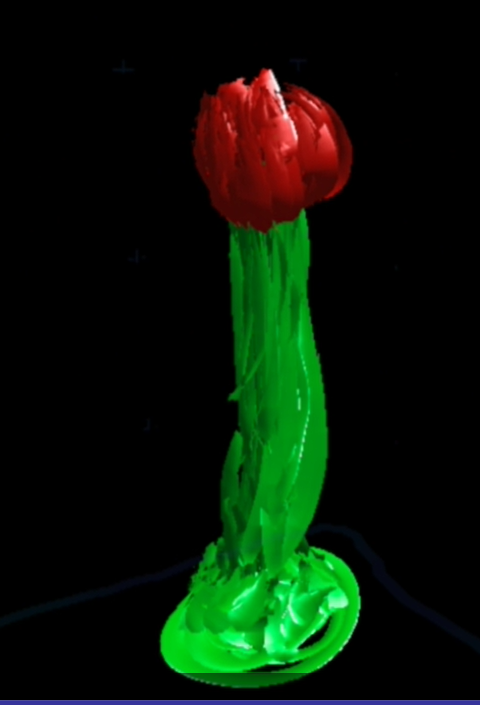
This led me to my first experimental drawing which is a red flower, this started off by an accident as I was testing various brushes with the biggest width available, as I was doing the strokes upwards in green I had realised it looked like a stem which is where I decided to follow the flower idea. Drawing and walking around the flower was a fun experience as I’ve never attempted to draw in 3D before however it was hard to get the right angle sometimes. This caused me to look around in settings as I did see a teleport feature, this led me to properly follow the instruction tutorial as I had originally skipped it and dove headfirst into OpenBrush. This showed me that holding the two side buttons on both controllers allowed me to scale my art up/down or rotate it entirely. This was highly beneficial as I could draw larger scale objects that were out of my armlength.
My final artwork was where I put all of my practice together, being able to manipulate size and rotation easily I decided to draw a mini campsite, I started with the log which I created through multiple small strokes to create a bark looking effect, repeating the same on the inside of the log but in a circular motion. I next added a campfire which uses the fire and smoke effect tools for a more realistic look. I next started drawing a big blue tent which I wanted to be large enough for a person to be able to enter inside of to make it more immersive. I scaled the entire project down and did the tent on a smaller scale as this was more efficient than literally painting around myself. However after all this I turned off passthrough and realised that there was only a floor to me, but for users that don’t have passthrough enabled would be standing in a black void. This could cause major motion sickness to many users which would cause a negative user experience, to fight this problem I decided to use a large brush and paint a grass floor and a river nearby to make the area more immersive whilst reducing motion sickness.
The Proposal
Research Overview
In my project the emerging technology I want to use is Gravity Sketch to create a 3D Model, however I also want to combine this with 8thwall by having the model appear, and possible audio, from a QR Code or image using image tracking inside 8th wall. I plan to do this for a set of headphones with a variation of colours to show off the different colours that will be available, this means that I will create an advertisement poster for the headphones to use as the image for image targeting, I will then make the headphones appear in front of the poster with a slight hovering and rotation animation to show off the product with audio playing to insinuate the good quality of the headphones. The main inspiration behind this was that headphones are used increasingly more by the younger generation which makes them in high demand, they’re used for music in the gym or library, or gaming headphones for young gamers. This makes it a versatile object that I could create different variations for if there is enough time.
The target audience for this will be students, this is as older aged individuals may not understand how to work AR or what it is. As students will be more in touch with technology and may also be looking for headphones for various uses such as gym or studying, it makes them the ideal target audience for my project. I’m aiming for a commercial sided user experience as this will be an advertisement for the headphones, the 3D model of the headphones will help users decide what colour or type they may want if the store doesn’t have them in stock or aren’t on display. Students are also more likely to engage with image targets as not only will they be the ones most in need for headphones and have their attention caught by the advertisement but also older adults may not want to scan advertisements or ignore them entirely as they will have a much higher preference to seeing the physical model and feeling it in their hands.
One ethical/cultural consideration I have for this project is the type of music that will play one the image tracking activates the audio, this is due to some songs having lyrics that some individuals may find offensive causing backlash on the product and the store that the product is displayed at. The prevent this I will ensure to choose a song that has no lyrics or a shorter sample of a song where there are no lyrics that may be considered offensive. Another legal consideration is that there may need to be warnings added such as “not to scale” to clarify that it’s not necessarily the exact real-world product.
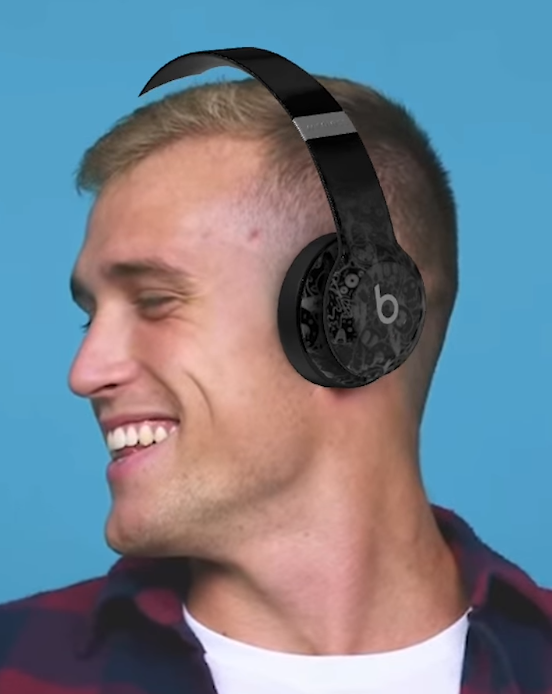
My inspiration for this is the “Beats “Try-On” AR Experience” by DeepAR. This is an experience that uses the webcam on any device to face track and see what the headphones would look like on the users face. AS this could be used for promotional use I thought this would be a good way to expand on that without only just keeping it at a face tracking and combine it was a visual way stores can show off the product without having them on physical display, as this means that users get to see the product even if its out of stock in a certain colour and stores don’t have to worry about theft if the physical headphones aren’t there.
Project Plan
| Stage 1-5 | What Happens? | Tools | Rough Timeframe (Start 10th Nov) |
| 1. Research & References | Gather examples of various AR work such as “19crimes” and “Beats Try On”. Research other examples of 3D models, specifically ones made in Gravity Sketch. Research integration of models into 8thwall. Research headphones advertisements, specifically in store displays. Further examples of Image Tracking. | Moodboard, Trello, Google, Gravity Sketch | 1 Week |
| 2. Concept Design | Start concept designs for all assets which will be introduced in the project. Layout testing for advertisements, GravitySketch practice, 8thwall practice. | Gravity Sketch, 8thwall, | 2 Weeks |
| 3. Main Build | Produce main assets for Gravity Sketch, Illustrator, | Gravity Sketch, Illustrator, Photoshop, 8thwall | 3 Weeks |
| 4. 8thwall Integration | Integrate assets into 8thwall and complete full advertisement | 8thwall, Gravity Sketch | 1 Week |
| 5. Finishing Touches + Final Outcome | Add any last minute changes after feedback | 8thwall, Gravity Sketch, Illustrator, Photoshop | 1 Week |
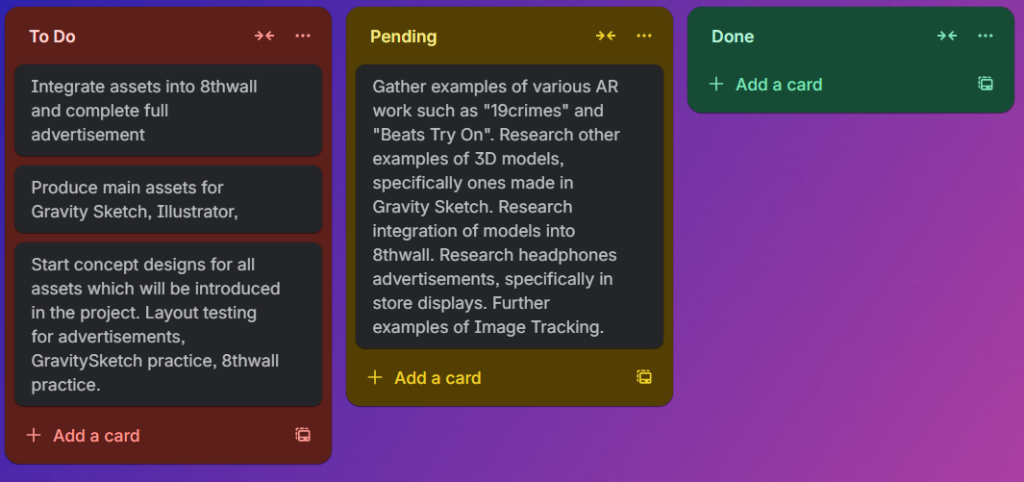
I proceeded to add the above table onto Trello boards for more efficient management of my project, I created three important sections which track which task I am currently focusing on in the Pending section.
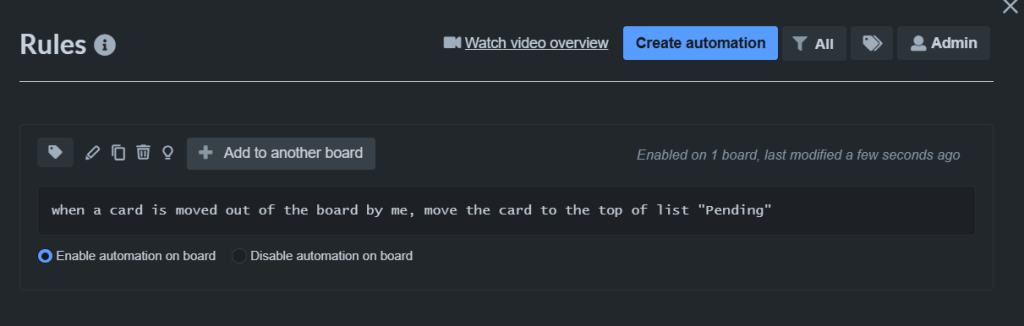
To make management more efficient I have created rules for each board to be moved across to the next section when moved out, this ensures no boards get muddled up in the event of me adding extra boards.
User Stories
A “User Story” is a short description of a need / feature that the user wants which also describes the benefit of the need / feature.
| User Need / Feature | Benefit |
| As a Student, I want to see the headphones in 3D so I can browse various colours and models before committing to a purchase. | Helps user visualise the product if stock isn’t available. |
| As a store owner I want to a safe and secure way to show the headphones to customers. | Helps stores keep stock safe whilst still being able to show off items to customers. |
Tools
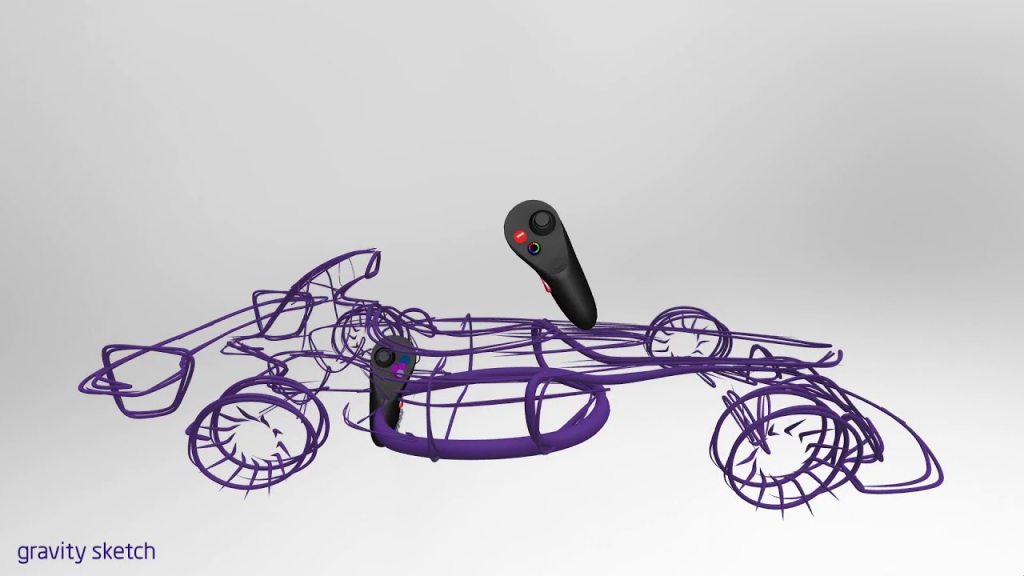
One of the tools I will use is Gravity Sketch. Gravity Sketch is a VR tool which allows users to create 3D models whilst sharing the project, allowing multiple people to work and view your progress at the same time amongst other features such as measuring and material manipulations. This is the most crucial piece of software for my project as it will be where I practice and eventually create my 3D model. Gravity Sketch offers a lot of tutorials online and in-app which is crucial for beginners like me with ambitious projects. Gravity Sketch also allows for various file saves such as OBJ, FBX, IGES, GRS, and GLTF/GLB for 3D models, and PNG and MP4 for 2D images and videos which is compatible with my next software, 8thwall.
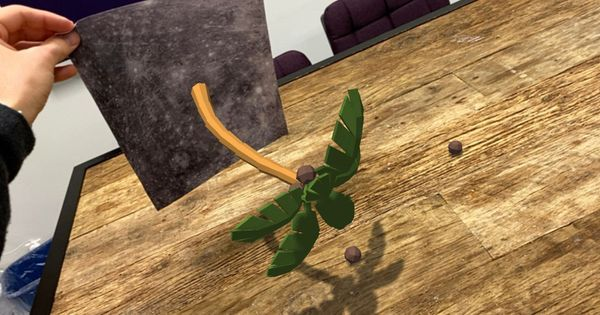
My next piece of software that I plan to use is 8thwall, this software is a platform for creating augmented reality (AR) experiences that are inside of web browser (WebAR). There are versatile uses to 8thwall with some well known examples being the “19crimes” wine bottles and “Pokémon Go”. I will use 8thwall to add my model which is created in Gravity Sketch and attach it to an advertisement piece I will make inside Illustrator. This advertisement will be the image that I use as a Image Target which means that when the photo is scanned with a camera a 3D model of the headphones will show up whilst slightly rotating.
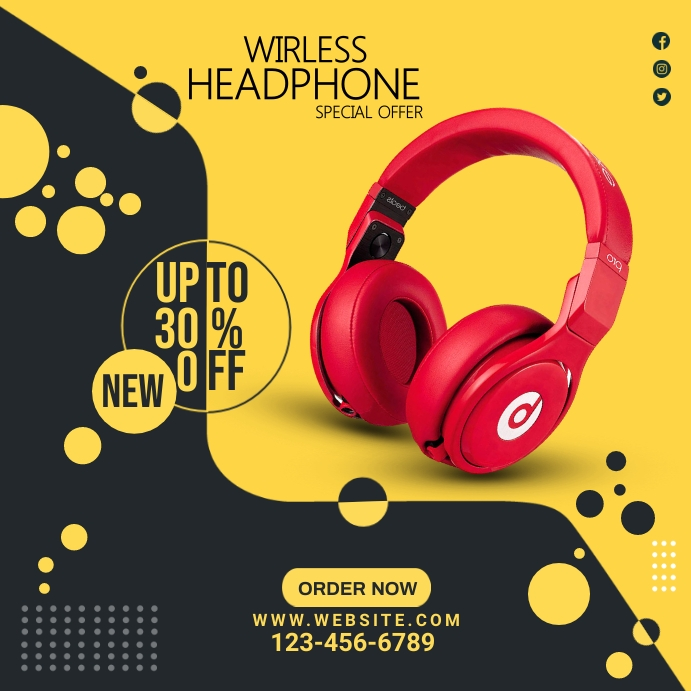
The final programs I will use for this project is Adobe Illustrator and Photoshop. This is as I will need photoshop to edit and alter any images that will be used in the advertisement. I will also use illustrator as the main tool in created the advertisement as I will use many of it’s features such as guidelines to ensure there is a good cohesive layout inside the advertisement.
Concept Storyboard
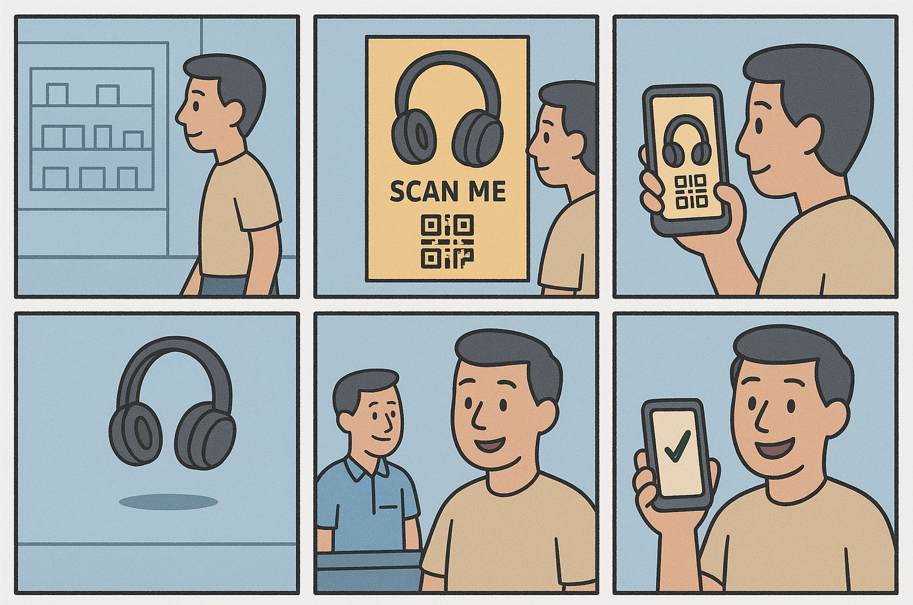
Here I used ChatGPT to generate a storyboard, the reason behind using ChatGPT is due it being another example of Emerging Technology that can be used for any type of designers to quickly convey a story or message just like I have used here. This saves time and helps designers who may not be the best at drawing to help convey a story more quickly in a high quality fashion.
In this storyboard there are six slides which show the effect that my proposed project will have on a customer in action.
In slide 1 we see that a student customer is walking around a store browsing, possibly not even considering about purchasing headphones.
Slide 2 shows the customer notice an advertisement that prompts the customers to scan the poster, as this doesn’t require downloading any apps it is more enticing for customers to scan and see what happens, customers could also be convinced to scan by including a discount that comes as a reward for scanning.
In slide 3 we see that the customer can easily bring up their phone camera to scan the poster, again this easy and smooth process will encourage people to interact with the poster, as there will be no pop-ups or email registrations this will keep the user engaged and not frustrated about giving their email away. This may cause some customers to stop interaction entirely which is why a smooth, uninterrupted process is essential.
Slide 4 is a visual representation of the 3D modelled headphones floating in the air in action. This is eye-catching to the customer as there are not many advertisements that use image targets to showcase products which automatically boosts engagement from the customer with the product which is beneficial for the business of the headphones and also the store business. This slide also shows off the stage where the customer will be able to interact with the headphones as they will be able to look at various colours that the headphones are available in. This further engages the customer with the product.
In slide 5 we see the reaction of the customer is to speak to an employee about the product which increases word of mouth about the product and shows a positive engagement from the customer.
Slide 6 shows that due to the positive experience the customer has had with the AR experience they have now successfully and easily ordered a new set of headphones. This is an example of how AR technology can increase quality of life when showcasing products.
Reflection & Emerging Tech Justification
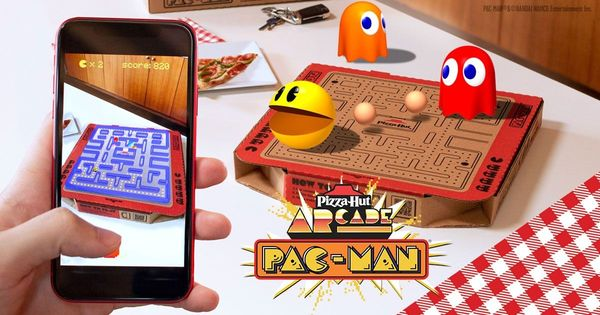
One of the emerging technologies I have decided to choose is 8thwall (WebAR), this is because 8thwall provides a numerous way to interact with design. One specific example is Image Targeting, which I have chosen to use inside of my project. Image Targeting is when a camera is used to scan an image which causes it to react in various ways such as play audio or make a model appear, which is an Augmented Reality experience. This is emerging as the first commercial use of AR started in 2000s, for example when “Esquire Magazine used augmented reality in print media for the first time in an attempt to make the pages come alive.” says Bridget. As this is new technology there are constantly newer and more creative ideas that push the boundaries of AR being published making it innovative, for example in 2021 Pizza-Hut had a collaboration with Pac-Man and used their own pizza boxes to bring the game to life on top of the pizza box using 8thwall. This aligns with with trends in graphic design as it’s bringing more and more ways that designers can use or consider other technology to bring their campaigns or other projects for their clients alive. 8thwall would be more successful if it was owned by a larger brand such as Adobe, even though some criticize Adobe for having a monopoly in the design industry, making 8thwall more known and accessible would definitely cause an increase in usage throughout companies globally which would make it vastly successful.
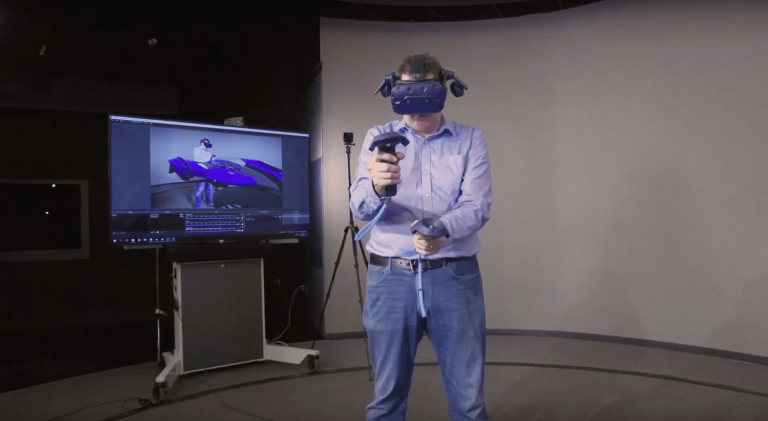
The other emerging technology I have decided to use is VR, specifically the Gravity Sketch program available in VR. This is a program that allows users to collaborate and create 3D models purely in VR, which is beneficial as you can get a better feel for how the model will look visually in the real world rather than just on a screen. Vr is an emerging piece of technology as it’s widespread use began in 2018 when the Oculus Rift launched. One real world example of this use is Paul Wraith integrating Gravity Sketch into Ford’s design process as it allows sketches to become much much faster and detailed, Paul himself says “I’m at a point now where I can sketch a model as fast as I used to sketch a sketch”. This shows that Gravity Sketch can be useful at all stages of the design cycle, even for larger companies such as Ford as multiple individuals may join a project at the same time. This also shows how innovative VR is as future companies may create more apps which will benefit designers in various ways such as speeding up the design process. This aligns with graphic and even game design as the ability to create models in 3D and see their scale in comparison to the real world using passthrough means that designers from any sector may become more and more efficient at creating models, especially if they’re relying on realism and realistic scale. VR could be much more successful if it was cheaper as the main issue with VR at the moment is it’s heft pricetag, by eventually being cheaper more and more individuals will step into the world of VR. Gravity Sketch itself can become more successful through regular update and quality of life changes as despite it being a successful app it still feels very dated at times.
References
Soegaard, M. (2015) Affordances. Interaction Design Foundation – IxDF. Available at: https://www.interaction-design.org/literature/book/the-glossary-of-human-computer-interaction/affordances (Accessed: 8 May 2025).
Poetker, Bridget (2024) History of Augmented Reality: From Origins to Future Trends Available at: https://www.g2.com/articles/history-of-augmented-reality (Accessed: 2 November 2025).
Tool of North America (n.d.) Pizza Hut Pac-Man. Available at: https://www.8thwall.com/toolofnorthamerica/pizza-hut-pacman (Accessed: 2 November 2025).
Gravity Sketch (n.d.) Paul Wraith on the Integration of Gravity Sketch into Ford’s Design Process. Available at: https://gravitysketch.com/resources/type/customer-stories/paul-wraith-on-the-integration-of-gravity-sketch-into-ford-designs-process/ (Accessed: 2 November 2025).